Meet Your Kit
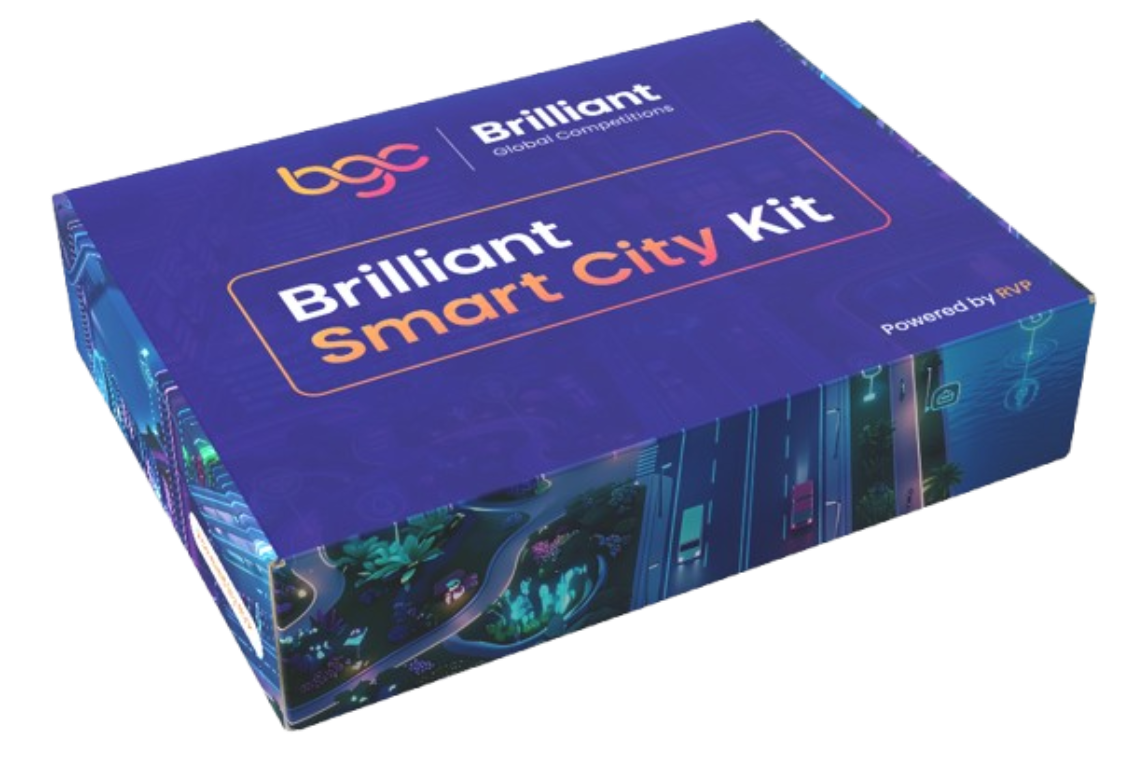
Your Brilliant Smart City Kit contains everything you need to build the four smart-city projects in this tutorial: no breadboard, no soldering, no extra parts to buy. Every sensor ships on a small breakout board with a Dupont cable that plugs straight into the ESP32 Plus shield. Most modules use a 3-pin cable (Ground / Voltage / Signal); the I²C modules (LCD Display, RFID Reader) use a 4-pin cable that adds the SCL clock line.
The ESP32 Plus: your city's brain
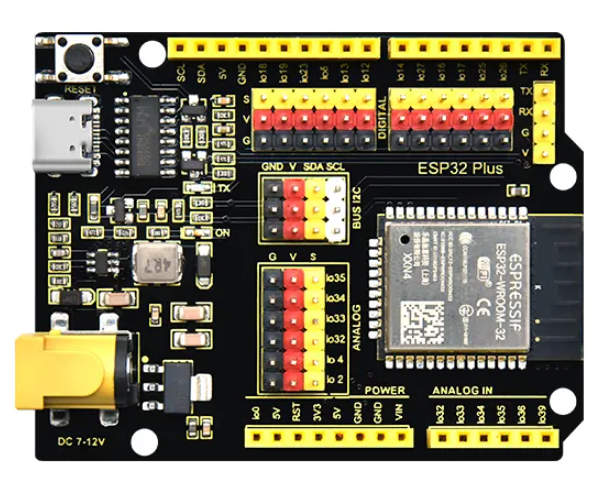
Every project in this tutorial revolves around the ESP32 Plus board. It's a standard ESP32 microcontroller mounted on a shield that exposes every pin as a labelled G / V / S (Ground / Voltage / Signal) header, which means you never need a breadboard. You plug the Dupont cable from any sensor straight into the pin number the tutorial tells you to use.
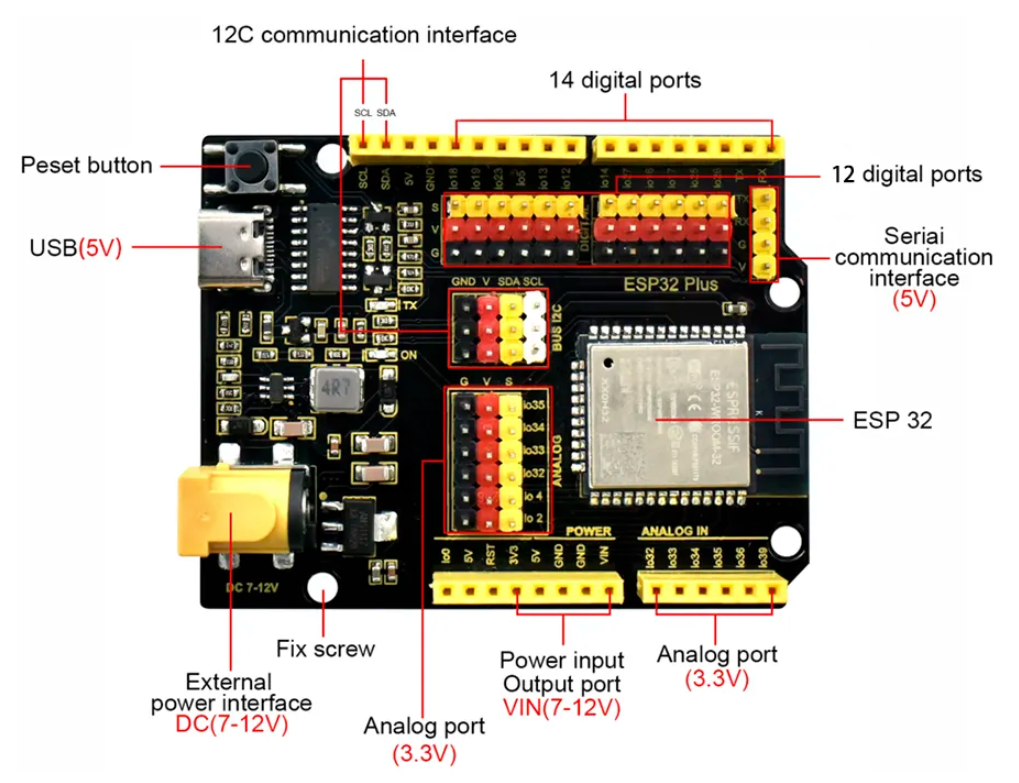
Here's the same board with every region labelled. Refer back to this whenever a tutorial mentions a part of the board you're not sure about:
What's on the board
| Region | What it's for |
|---|---|
| USB-C port (5 V) | Power + upload cable from your computer |
| External power jack (DC 7–12 V) | Power from a battery or adapter when not plugged into a computer |
| Reset button | Restart the program without re-uploading |
| 14 digital ports (top row) | Digital input/output pins with G/V/S headers |
| 12 digital ports (middle row) | More digital pins, same layout |
| I²C communication interface (SCL / SDA) | For the LCD Display, RFID Reader, and other I²C devices |
| Analog port (3.3 V) | For analog sensors like the Soil Moisture Probe |
| Analog IN (io32, io34, io35, io39) | Input-only pins, good for sensors; can't be used as outputs |
| Serial communication interface (5 V) | Advanced: for talking to other devices over serial |
| Power rails (3V3, 5V, GND, VIN) | Handy access to power for projects that need extra hookups |
See the Pin Map & Shield Layout for the exact pin each sensor uses.
Why is the board called 'Plus'?
The plain ESP32 exposes its pins as two bare rows on the underside. The Plus variant adds the G/V/S headers, the DC power jack, and the full-size USB-C, so it's ready for beginners to use without a breadboard. The ESP32 chip itself is the same.
Sensors and modules in your kit
These are the components you'll use across the four projects, grouped by smart-city pillar.
🌿 Sustainability: for Smart Agriculture
| Component | What it does |
|---|---|
| Soil Moisture Probe | Measures how wet or dry the soil is |
| Water Level Detector | Measures depth of water in the tank |
| Water Pump | Submersible pump that moves water from the tank |
| Relay Module | Switches the high-power pump on/off under ESP32 control |
| Water Pipe + Plastic Box | The tubing and reservoir for the water |
| White LED module | Status indicator, used as the "low water" warning |
🚦 Mobility: for Smart Parking
| Component | What it does |
|---|---|
| Distance Sensor (Ultrasonic) | Measures how close an object is, using sound waves |
| Servo Motor | Rotates to a precise angle, used as the gate |
| RFID Reader | Reads the unique ID stored in cards and key-fobs |
| RFID Cards + Fob | The "tags" people scan to authenticate |
🚨 Protection: for Smart Safety
| Component | What it does |
|---|---|
| Fire Detector | Senses the infrared light produced by an open flame |
| Gas Leak Sensor | Detects combustible gases like LPG and propane |
| Active Buzzer | Makes the loud alarm sound when triggered |
🌡️ Comfort: for Smart Temperature
| Component | What it does |
|---|---|
| Temperature & Humidity Sensor (DHT11) | Measures air temperature and humidity |
| DC Motor | Spins continuously, used as the cooling fan |
| LCD Display | Shows live temperature and humidity readings |
🔧 Supporting parts
| Item | Use |
|---|---|
| Dupont cables (3-pin and 4-pin) | Connect each sensor module to the ESP32 Plus: 3-pin for most modules, 4-pin for the I²C ones (LCD, RFID Reader) |
| USB-C cable | Power and program the ESP32 from your computer |
Taking care of your kit
Before you plug anything in
- Always disconnect the USB cable before connecting or moving a sensor cable.
- The Dupont cables are female-to-female: align the colors with the G / V / S labels on each side, then push gently until the connector is fully seated.
- Components are reusable. Handle them gently and return them to the kit between sessions.
Sensors that need extra care
- Water Pump: must be fully submerged before running, or it will burn out.
- Gas Leak Sensor: gets warm during use (there's a tiny heater inside), this is normal.
- Fire Detector: for testing use a small candle or long lighter with adult supervision; never test near flammable materials.